GTA 6 Streaming Guide: YouTube vs Twitch vs Kick — How to Go Live, Clip and Upload
Smart summary
GTA VI launches November 19, 2026, and creators have three realistic live options: PS5 direct broadcasting to YouTube or Twitch, PC-based OBS streaming to YouTube/Twitch/Kick with a capture card for console footage, or recording locally and publishing later. For discovery, cut vertical highlights for Shorts, TikTok and Reels. YouTube is Pylcrow’s best all-round home for a new channel; Twitch is strong for live gaming communities; Kick has creator-friendly subscription economics but smaller discovery. Check Rockstar’s copyright policy before assuming monetized gameplay, in-game songs or story spoilers are automatically cleared.
On November 19, the entire internet will be playing the same game. Some people will spend the night exploring Leonida alone. Others will watch streamers scream at traffic, get ambushed by a mission, or discover an absurd little detail in Vice City before anyone has had time to write a guide about it. And thousands will open a new channel hoping GTA VI is the moment somebody finally finds them.
Here is the problem: the big platforms do not do the same job. YouTube helps people find your work after the stream is over. Twitch lives on real-time community. Kick competes hard for live creators. TikTok, Instagram Reels and YouTube Shorts are discovery machines rather than replacements for a long stream. Trying to treat every app as one identical upload destination is the fastest way to turn launch day into an administrative nightmare.
This is a practical creator guide for the week before launch: which platform to choose, what equipment actually matters, how to stream PS5 gameplay, how to create clips without destroying the framing, what to upload where, and what copyright rules you cannot afford to ignore.
YouTube vs Twitch vs Kick vs TikTok: which should you choose?
| Platform | Best for | Weak spot | Pylcrow pick |
|---|---|---|---|
| YouTube | Livestreams, searchable walkthroughs, long videos, Shorts and evergreen discovery | New channels can struggle to get people into a live room | Best single home if you’re starting from zero |
| Twitch | Live chat, regular viewers, gaming culture and instant community moments | Finished broadcasts need more deliberate repackaging to reach new viewers | Best if you want to be live often |
| Kick | Live community and creator-focused subscription economics | Discovery and audience fit may be weaker for a brand-new account | Worth testing if you already enjoy live streaming |
| TikTok | Fast, personality-led discovery through vertical highlights | Short attention spans; audience may not convert to long streams | Use for carefully edited moments |
| Instagram Reels | Clips shared with friends, personality, recurring creator identity | Less useful as a permanent walkthrough archive | Repost a tailored version of the best clips |
| YouTube Shorts | Sending new viewers toward the same channel that holds the full VOD | Not every Shorts viewer will watch hour-long videos | Essential if YouTube is your main home |
This is an editorial fit assessment, not a statistically guaranteed view-count ranking. Audience results vary by region, language, camera presence, schedule and whether your content has a recognizable idea beyond “I’m playing GTA VI.”
Our recommended setup: one live home, three discovery channels
For a solo beginner, the cleanest arrangement is YouTube Live + one full YouTube video archive + Shorts + TikTok + Instagram Reels. Don’t start three simultaneous live chats on opening night merely because software can do it. One healthy room is better than three unattended ones.
If your heart is set on real-time community, use Twitch as the live home and publish edited highlights to YouTube. If you already have an audience on Kick, stream there and use the short-form platforms to bring new people in. The important part is to choose one source recording that you control, not three separate archives you will spend the weekend trying to download.
Option A: stream GTA VI directly from PS5, with no PC or capture card
This is the lowest-friction option for launch night. Sony supports direct broadcasts to YouTube and Twitch through the PS5’s Create menu; see PlayStation’s official broadcast instructions.
- Before November 19, verify and enable live streaming on your YouTube or Twitch account. YouTube says first-time activation can take up to 24 hours, so do it early.
- On PS5, sign in and link the streaming account. If Twitch requires two-factor authentication, set it up now.
- Open any game before launch day, press Create → Broadcast, pick YouTube or Twitch, set title and stream options, then run a short private or test session where available.
- Check your microphone mix, game sound, chat privacy, notifications and whether capture is restricted during certain scenes.
- When GTA VI unlocks, return to Create → Broadcast and start with the service you tested.
- After finishing, check the saved broadcast on your streaming platform before deleting any local footage.
Important: Kick is not listed as a native PS5 Broadcast destination in Sony’s standard instructions. If you specifically want Kick live from a PS5, use the PC-and-capture-card method below rather than expecting a Kick button on the console.
Option B: stream GTA VI to YouTube, Twitch or Kick through OBS
If you want scene changes, overlays, a webcam, local recording or flexible destinations, use OBS Studio on a computer. For PS5 or Xbox gameplay, you will generally need a compatible capture card connected between the console and computer. A PC game can be captured directly in OBS when the game is actually available on that PC; Rockstar’s November 19 GTA VI release is announced for PS5 and Xbox Series X|S, not PC.
- Connect the console to a compatible HDMI capture card and the capture card to your computer. Follow its display pass-through setup if you want to play on a TV without adding preview delay.
- Install OBS Studio and create a scene with a Video Capture Device source for the console. Add the microphone and optional camera as separate sources.
- Set recording to a reliable local format. OBS can record to MKV to reduce the risk of a corrupted file if streaming crashes; remux to MP4 afterward if your editing software needs it.
- Run a 10-minute test with the same game, resolution, encoder, internet connection and microphone you’re going to use on launch day. Check the actual archived result.
- For YouTube, configure the stream in YouTube Live Control Room and connect OBS using the offered integration or stream key. For Twitch, connect the account or use its private stream key. For Kick, open Kick Creator Dashboard → Channel → Stream URL and Key and use a Custom server in OBS.
- Set the game category, title, age-appropriate settings and moderation rules; then start streaming in OBS only after you’re ready.
Begin with a stable 1080p at 60fps production target only if your upload connection and hardware can sustain it; reduce quality if a test drops frames. A solid 720p stream is better than a stuttering 4K promise. Platform bitrate and codec recommendations change, so follow the current help pages for your chosen destination rather than copying a random creator’s settings.
How to clip GTA VI without buying extra software
On PS5: press Create and save the moment
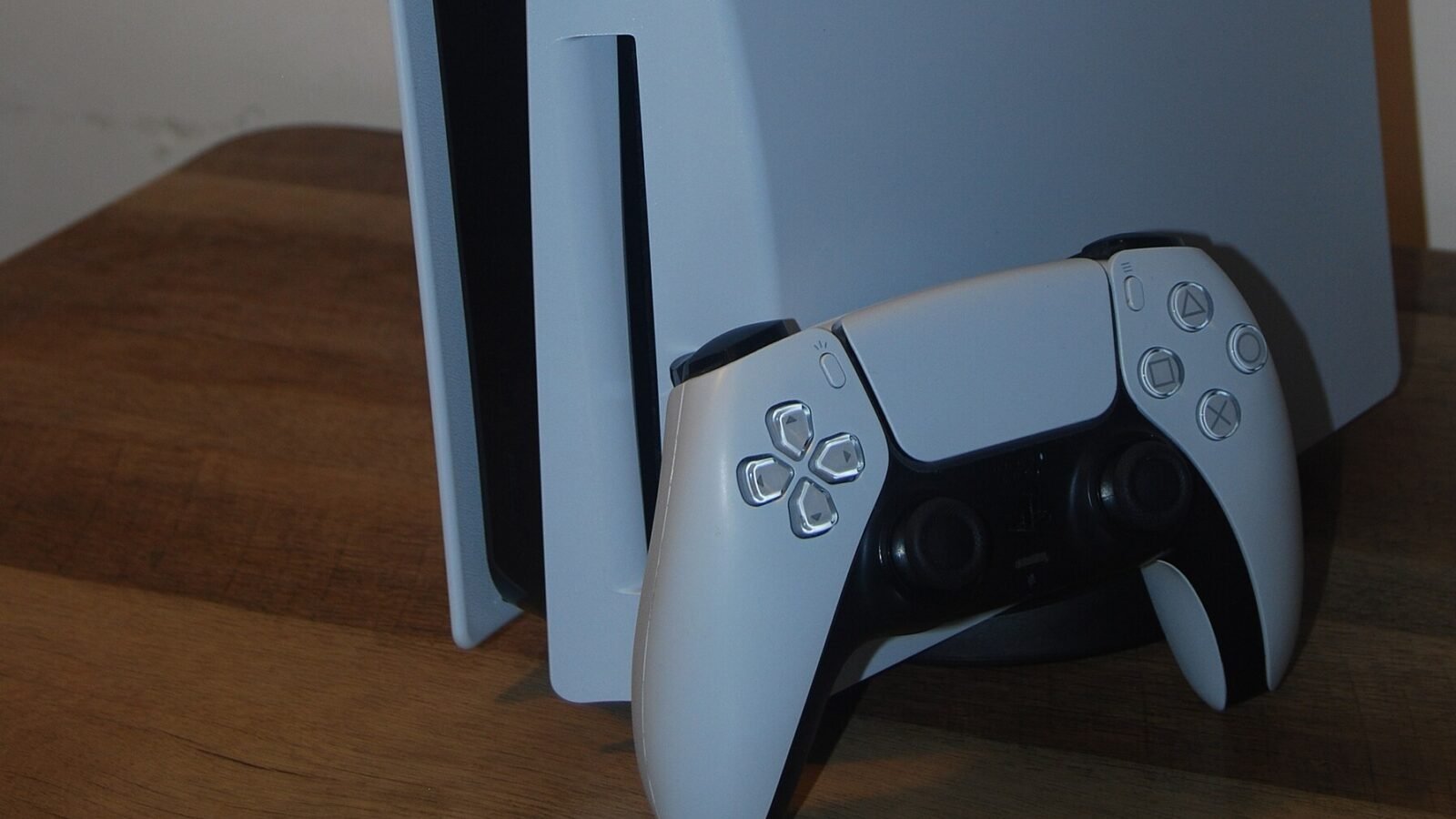
Sony’s PS5 capture guide confirms the console can save recent gameplay from 15 seconds to one hour, or make a new manual recording of up to an hour. Review Media Gallery when the session ends. You can also use PlayStation App captures for supported clips, but automatic app uploads are limited to non-4K videos shorter than three minutes and those cloud captures remain accessible in the app for 14 days. For longer or higher-quality masters, export through your intended local workflow.
On Twitch: use Clips and Stream Markers
Twitch’s official Clip Editor can turn live or archived moments into clips of up to 60 seconds, with portrait framing tools. It also offers export paths to YouTube Shorts, TikTok and Instagram where supported. Use Stream Markers during a broadcast to record the timestamp of a great moment, so you don’t have to scrub through a five-hour VOD later.
On Kick: use its built-in Clips feature
According to the Kick Help Center, logged-in viewers and streamers can create Clips from a live stream or VOD, currently between 10 and 180 seconds. Give the moment a title before publishing. Save or archive the source separately if you intend to edit it again for other platforms.
On YouTube: make the archive useful
YouTube says streams under 12 hours are automatically archived when streamed with an encoder. But do not assume that an enormous GTA VI first-night VOD is a great video simply because it exists. Add chapters to a long walkthrough, or cut a focused first hour and a separate “five things I noticed” feature. YouTube Shorts supports vertical videos up to three minutes; most quick reactions will benefit from being far shorter than that maximum.
The best GTA VI short-form layout
The original gameplay arrives in widescreen. The discovery platforms want vertical. Cropping the entire frame to 9:16 often cuts away the minimap, a person entering from the edge, or the subtitle containing the punchline. Avoid it.
| Export | Recommended treatment |
|---|---|
| Full gameplay / YouTube VOD | 16:9 landscape, clean 1080p or higher if your source is good |
| Shorts / Reels / TikTok | 1080 × 1920 vertical canvas, with gameplay safely framed |
| Square-center variation | Preserve important gameplay in an approximately 1080 × 1080 window within the vertical canvas, with a softly blurred enlarged copy filling empty space |
| Text / subtitles | Large enough for phones; keep clear of buttons, usernames and subtitles that already exist in-game |
The square-center layout is particularly useful when you want to keep the original HUD or show a whole chaotic intersection without sawing off half of Vice City. But full-height crops are better for a face-cam reaction or a close-up that truly uses the vertical space. The rule is to preserve the joke and the gameplay information, not blindly follow one template.
One session, five usable pieces of content
Imagine you stream GTA VI for three hours. Instead of uploading that three-hour file unchanged to every app, work through this order after the stream:
- One full archive on YouTube with a clear date, title and spoiler level.
- One 8–15 minute highlight on YouTube: the first memorable discoveries, with commentary and a coherent sequence.
- Three to five short clips for Shorts, TikTok and Reels — the strongest surprise, a ridiculous failure, a visual detail, a laugh and an opinionated first reaction.
- One image-led post for Instagram or X: your favorite environment detail or first-night observation, with source and spoiler labeling.
- One next-day stream announcement to give people who liked your clips a reason to return.
This produces different content for different viewing habits without pretending every upload must be a unique five-hour performance.
Five hooks that are clickable without inventing leaks
- “GTA 6 Finally Let Me Into Vice City. This Was My First Mistake.”
- “I Played GTA 6 for Two Hours. This Tiny Detail Stuck With Me.”
- “First 30 Minutes in GTA 6 — No Story Spoilers.”
- “I Was Not Ready for How Alive GTA 6 Feels.”
- “PS5 vs PS5 Pro: What Actually Looks Different in GTA 6?” — use only after you have legitimate comparison footage.
The final title should reflect what actually happened in your recording. Don’t promise a feature you didn’t observe. Don’t write “Rockstar confirmed” above a fan theory. Credible excitement is still excitement.
Can you livestream and monetize GTA 6 without copyright trouble?
This matters more than the camera you buy. Rockstar owner Take-Two’s published policy on copyrighted game material welcomes occasional fan gameplay footage for non-commercial use under conditions. It explicitly says that non-commercial use means not making money from footage or using it to promote a product. This is not a blanket public license for monetized GTA VI broadcasts; creators with commercial uses should review the policy and seek permissions where appropriate.
The policy specifically warns against publishing footage from leaked pre-release copies, posting the ending, uploading isolated cinematics and plot reveals, and isolating in-game TV or entertainment. A larger, narrated gameplay video is treated differently from a dump of standalone cutscenes, but the owner reserves the right to remove material case by case.
There is a separate danger: music. A licensed song playing from an in-game radio can produce a copyright claim even when you own the game. YouTube says live streams are scanned for third-party material and may be interrupted. Do not assume a GTA VI “streamer mode” exists unless you verify that feature in the shipping game’s settings or Rockstar’s current documentation. For a risk-conscious recording, disable licensed radio music if an available option allows it, or avoid that audio until rights are clear. This does not guarantee immunity from claims on other game audio.
A particularly confusing detail: YouTube has partnered with Rockstar on a 24-hour launch broadcast, themed gifts and Shorts effects. That is official platform promotion. It does not mean every independent creator has a separate written license to monetize GTA VI music, cutscenes and gameplay.
Can you stream to YouTube, Twitch and Kick at the same time?
Technically yes, using appropriate streaming software and delivery services. Contractually, check your agreement and the rules of each destination. Twitch’s Terms of Service permits simulcasting subject to conditions including not degrading the Twitch viewer experience relative to competing platforms, not steering Twitch viewers away to another live service and not combining off-platform chats into the Twitch stream using third-party services. Partners with additional exclusivity arrangements should also check their own terms.
For a new creator, simulcasting is usually not the first optimization to make. Audio quality, a watchable first five minutes, a responsive chat, a well-labeled title and an on-time start matter more than maximum endpoint count. If you have one moderator and one screen, focus on the audience you can actually serve.
The real difference between platform payouts
Kick’s advertised 95/5 subscription revenue split is attractive. Twitch’s standard and incentive-based subscription shares vary, while YouTube has different rates for channel memberships, long-form advertising, Shorts and other fan-funding tools. These are different economic products, so a flat percentage comparison is misleading.
Someone with 200 subscribers on a platform and no viewers elsewhere is not better off merely because a different site offers a larger percentage of zero. For the GTA VI launch, first ask where your potential audience already watches the kind of creator you want to be; only then look at payout structure and eligibility. Advertising rules, availability, taxes, rights and monetization thresholds may vary by region.
The 48-hour GTA VI creator launch plan
Before launch, November 17–18
- Reserve matching channel names, logos and profile links.
- Enable live privileges, account security and moderation controls.
- Test a 10-minute recording, inspect sound and look for dropped frames.
- Choose a no-spoiler or spoilers-labeled content policy.
- Prepare one YouTube thumbnail and clean 16:9 and 9:16 export templates.
- Agree on a moderation plan if viewers can send links or spoilers.
- Check your local GTA VI unlock and preload in your console storefront.
Launch day, November 19
- Start with a clear title naming the platform, game, and whether the stream has story spoilers.
- Record a local master where possible, and check the drive can handle the file.
- Mark exceptional moments, but do not interrupt every scene to clip it immediately.
- End the stream by promising a specific next session, not vague “more coming soon.”
The morning after
- Publish the best short while the moment is still fresh.
- Upload a clean first-impressions video rather than a random 10-hour archive alone.
- Keep an organized folder by date: source footage, edited landscape, edited vertical, thumbnail and caption.
- Check platform copyright notices before cross-posting and review performance before deciding what to repeat.
Which platform wins? Pylcrow’s verdict
For somebody starting a GTA VI creator channel from scratch: start on YouTube. It combines a searchable archive, long-form video, live sessions and Shorts under one roof. Publish the most watchable moments to TikTok and Instagram Reels to test discovery. If you’re already part of a Twitch gaming community, there is no compelling reason to leave it just for a speculative launch-night algorithm bump. Kick can make sense if you have an audience that will follow you there and you understand its payout requirements.
The point is not to be everywhere. It is to turn one extraordinary night in Vice City into a story worth watching twice. The platform you choose is the distribution system. Your reactions, judgment, humor and curiosity are what make a stranger stay.
Quick questions
Can I broadcast GTA 6 from PS5 straight to Kick?
Not through Sony’s standard native PS5 broadcast options. Use an external capture/encoder setup for Kick live broadcasts.
How long can PS5 record gameplay clips?
Sony says recent gameplay capture can cover 15 seconds to one hour, and manual recording can run up to one hour per session.
How long can Twitch and Kick clips be?
Twitch’s current editor documents up to 60 seconds. Kick’s guide documents 10–180 seconds. These limits may change.
Can I use the same clip on YouTube Shorts, TikTok and Instagram Reels?
Yes, if you have the necessary rights to the source material. Export a clean, watermark-free vertical master, then adjust titles, descriptions, cover frames and any music choices for each service.
Do I need a face camera?
No. Clean gameplay, intelligible commentary and genuinely interesting moments can work without a camera. A bad face camera often contributes less than a good microphone.
Read next: GTA 6 final-week countdown and preparation guide · Best GTA 6 console: PS5 vs PS5 Pro vs Xbox Series X · More video-game coverage.
Primary references: Sony PS5 broadcast guide, Sony capture instructions, PS App captures, YouTube encoder setup, YouTube Shorts requirements, Twitch Clips, Twitch Stream Markers, Kick OBS setup, Kick Clips, Twitch simulcasting terms, Rockstar/Take-Two copyright policy, YouTube live copyright, YouTube GTA VI launch event. Checked November 13, 2026. Platform rules can change; published advice is general, not a promise of legal rights or earnings.
Before deciding where to stream the launch, revisit the GTA 6 launch hub and realities of earning money as a new GTA streamer.
Want one final GTA V livestream before GTA VI? Register now for November 18’s Last Drive farewell, then use the streaming steps above to record your own Los Santos send-off.